
Tool · free, open source
Scribe: transcribe, download and dictate
Three tools in one: transcription, downloading and voice dictation, all running locally on your Mac. It started as a transcription tool for myself and my team, now it does more and it's still free.
← All products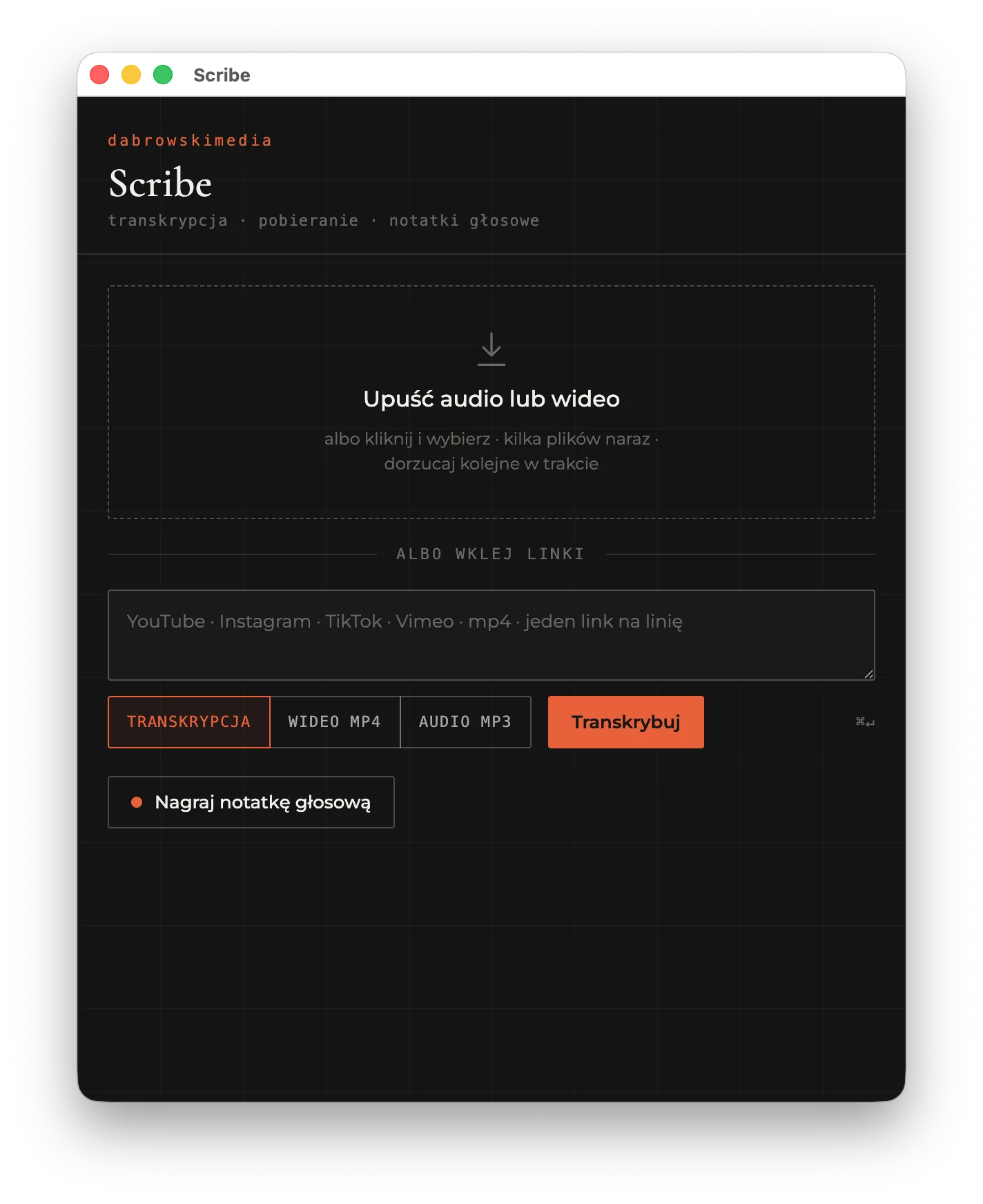
What it does
Scribe.app is a small window where you drop an audio or video file or paste a link (YouTube, Instagram, TikTok, Vimeo, plain MP4). You get text with timestamps, ready to copy or save as .txt. Switch the mode to download instead and keep the file as MP4 or MP3 in Downloads, no transcription. You can also record a voice memo right in the app.
Dictate into any app
scribe flow runs in the background: hold Right Option, talk, release the key, and the text lands wherever your cursor is: in an email, on Slack, in a document. It adds punctuation and strips filler words on its own.
How it works and privacy
Everything runs locally on the Whisper large-v3 model (MLX, Apple Silicon GPU), with automatic language detection. Nothing is sent to any server, there's no API and no cost. It's part of my AI-native approach to content production.
Requirements and install
An Apple Silicon Mac (M1 or newer), Homebrew and Chrome. Easiest way: download the ZIP from the repo and double-click Install Scribe.command, the terminal does the rest. The installer adds the dependencies, links the scribe command and installs Scribe.app into Applications. Full instructions are in the repo README.
In short
- Local file or link: YouTube, Instagram, TikTok, Vimeo, MP4
- Download links as MP4 or MP3, no transcription needed
- System-wide dictation: hold Right Option, talk, text lands in any app
- Local on Apple Silicon, Whisper large-v3, around 16x faster than realtime